Program updates
The connector can update itself from the admin web page — you don't need Crestron Toolbox to push a new version. You upload the new release, the page checks it, and the processor reloads the program on the new version.
Use Toolbox (or progload) for the first install on a fresh processor, or to recover if an in-app
update doesn't come back. Everyday version bumps can be done in-app.
Check the current version
The running version is shown on the admin web page (the dashboard and the About this connector
panel in the Centro configuration). It looks like 0.2.27-g61290299cd — a release identifier stamped
with the date/commit it was built from. Note it before you update so you can confirm the change.
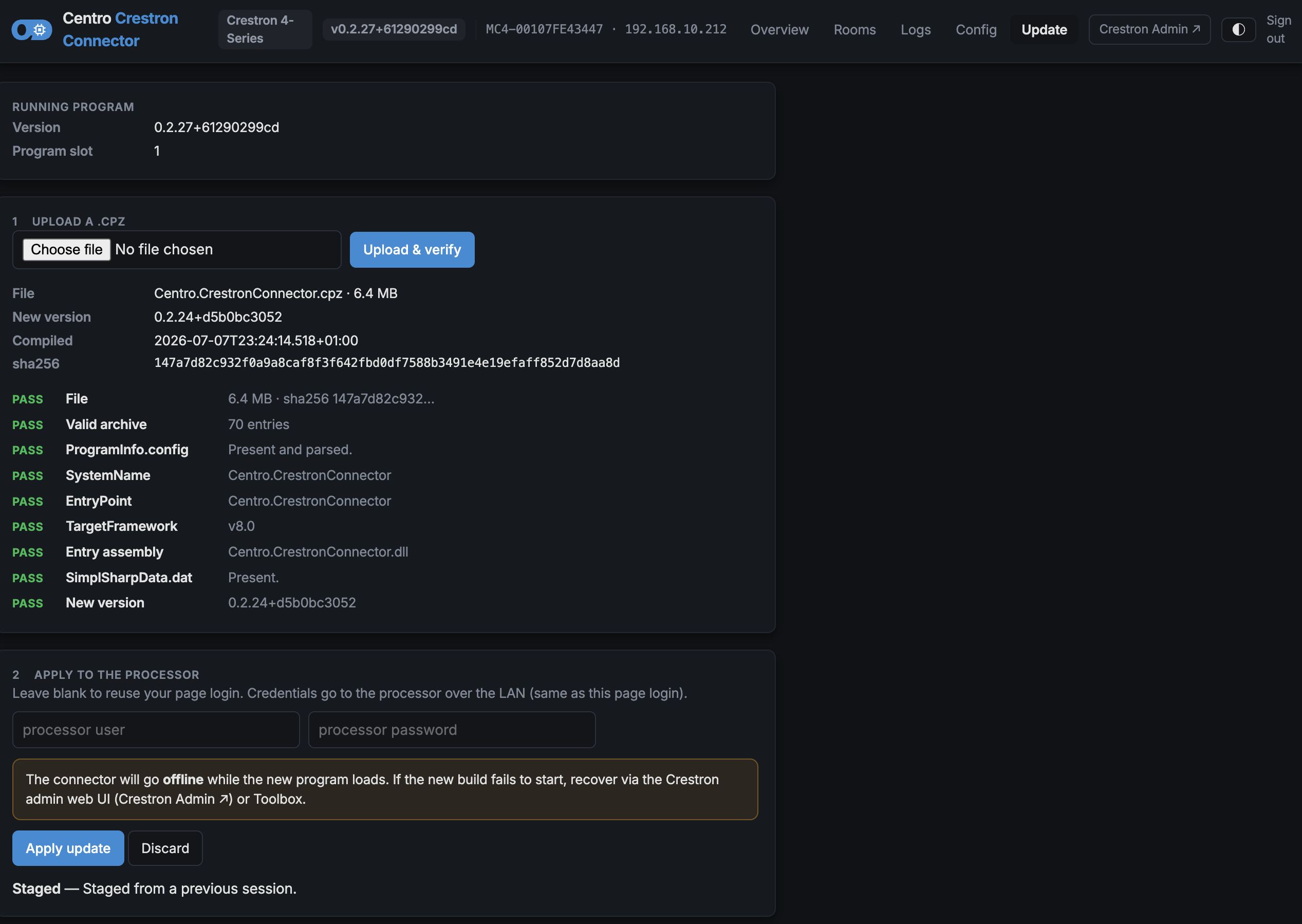
Step 1 — Get the new release
Obtain the new release .cpz file from Centro.
Step 2 — Upload it
On the admin web page, open the Update page and upload the .cpz.
Step 3 — Review the checks
Before anything is applied, the page verifies the file:
- It confirms the
.cpzis this connector and built for this processor. If it isn't, you get a blocking error — the update can't proceed (this protects you from loading the wrong program into the slot). - It reads the new version and warns if it's the same as, or older than, what's running. A warning is informational — you can still proceed if you mean to (for example, rolling back).
Step 4 — Apply
Click Apply. The processor loads the new program and restarts it.
The admin page briefly goes unavailable while the program reloads, then comes back on the new version and confirms the update succeeded. Refresh the page after a few moments and check the version.
If an update doesn't confirm
If the page doesn't come back on the new version, recover by loading a known-good release the normal way — via the Crestron admin UI / Toolbox — into the program slot. The room's on-box settings and last configuration are preserved across a reload, so the room comes back configured.